



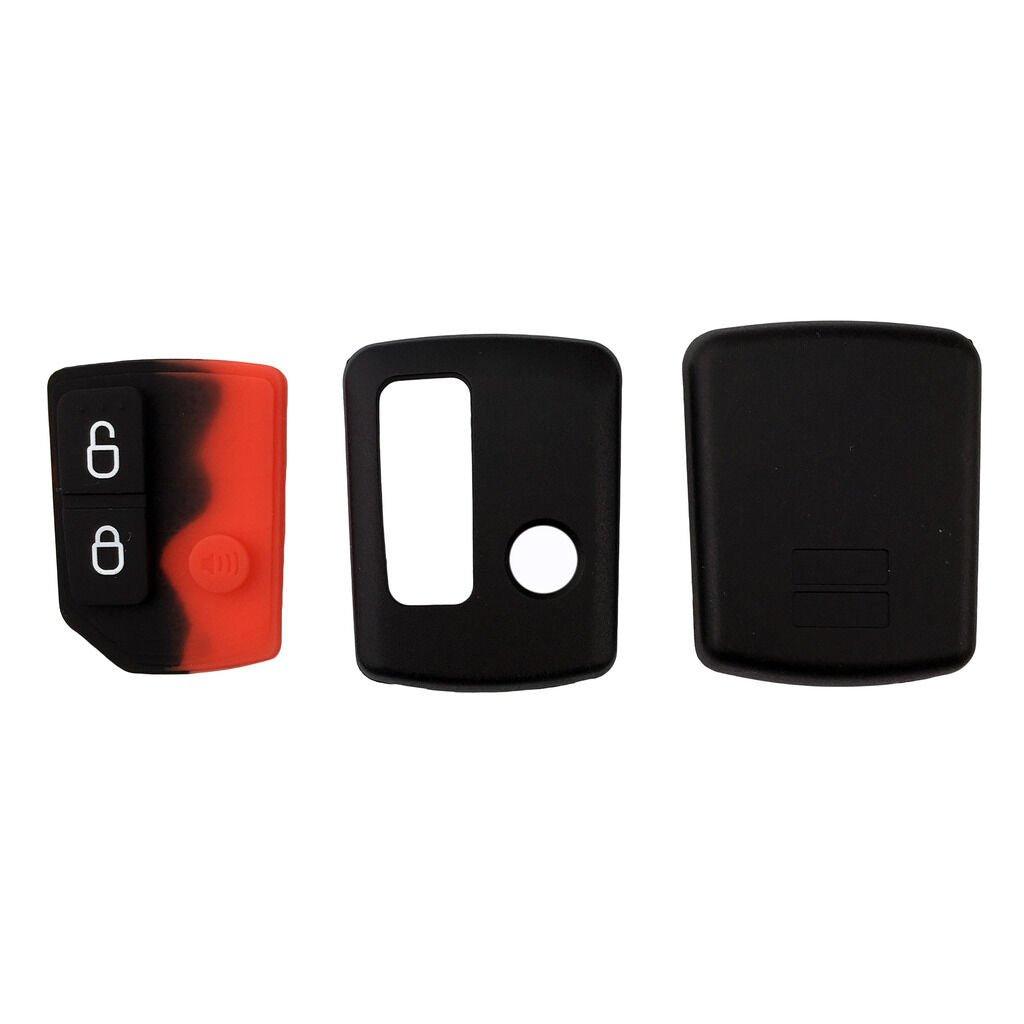



Complete 3 button remote for Ford BA BF Falcon and SX SY Territory
A complete keypad, not just an empty case
Unlike shell-only listings, this Ford remote arrives as a complete unit with all internals and battery fitted, ready to be programmed and used straight away. It suits the 2002 to 2010 Ford range including the Falcon BA and BF, Fairmont BA and BF, Fairlane BA and BF, XR6 and XR8, Territory SX and SY, FPV models, and the utes and wagons of those series. The quick visual test is reliable here: if your current remote looks the same as the one pictured, it will work with your vehicle once programmed. That breadth takes in most of the Falcons and Territorys still registered across the country, from work utes through to family wagons.
Program it yourself in the driveway
No locksmith or dealer visit is needed for the central locking functions, because these Fords support owner programming. Sit in the car with your keys and remotes ready and close the driver's door. Within ten seconds, put the key in the ignition and turn to the first click, the accessories position that brings the radio on. Within three seconds of that, press the rear demist button three times; the door locks cycling confirms you are in learn mode. If the locks stay silent, repeat the sequence a little faster or slower. Be aware that entering learn mode re-registers remotes, so program every remote you own in the same session. Keep the driver's door shut for the entire sequence, and the whole exercise takes under a minute once you have the rhythm.
Related Ford keys and shells in stock
Falcon owners whose buttons work fine but whose case is cracked can save money with the Ford Falcon Territory 3 button remote key shell instead of a full unit. Drivers of the earlier series can match their car with the Ford Falcon AU2 AU3 remote key 1999 to 2002, while flip-key Fords are covered by the Ford BF FG flip key 3 button with chip for Falcon, Territory, Mondeo and FPV applications. Matching the era of your Ford to the right remote family is the main trap to avoid when ordering.
Why Ford owners order from The Remote Factory
The Remote Factory carries this complete BA BF remote in local stock as part of its Australian-based range of replacement remotes and key fobs. Dispatch happens within 24 hours of ordering, and standard delivery runs 1 to 5 working days within Australia or 2 to 8 working days to New Zealand. At the checkout you can pay with Visa, Mastercard, American Express, PayPal, Shop Pay or Apple Pay. A 30-day return policy protects the purchase, and if the programming sequence gives you grief, a quick email to contact@theremotefactory.com.au usually sorts it out the same day.
Frequently asked questions
Is this a complete working remote or just the outer shell?
It is a complete keypad with all internals and the battery already fitted, so nothing needs transferring from your old remote. Once the driveway programming sequence is completed it operates the central locking immediately. If you only need a replacement case because your existing electronics still work, the matching shell-only version is sold separately and costs less.
Which Ford models between 2002 and 2010 does it suit?
It suits the Falcon BA and BF, Fairmont BA and BF, Fairlane BA and BF, XR6 and XR8, Territory SX and SY, and FPV variants, including utes and wagons of those series. A simple check is to compare it with your current remote; if the two look the same, this unit will work with your vehicle after programming.
How do I program the remote to my Falcon or Territory?
Close the driver's door with keys ready, and within ten seconds turn the ignition to the first accessories click so the radio comes on. Within three seconds, press the rear demist button three times. The door locks cycle to confirm learn mode, after which the new remote registers. Program all your remotes in the one session, since learn mode re-registers every remote for the car.
Why did my old remote stop working after programming the new one?
Entering learn mode clears and re-registers the car's remote list, so any remote not programmed during that session is dropped. The fix is simple: run the sequence again and register your old and new remotes together before leaving learn mode. Both will then operate the central locking. This behaviour is standard across BA and BF Falcons and SX SY Territorys.
- Choosing a selection results in a full page refresh.