



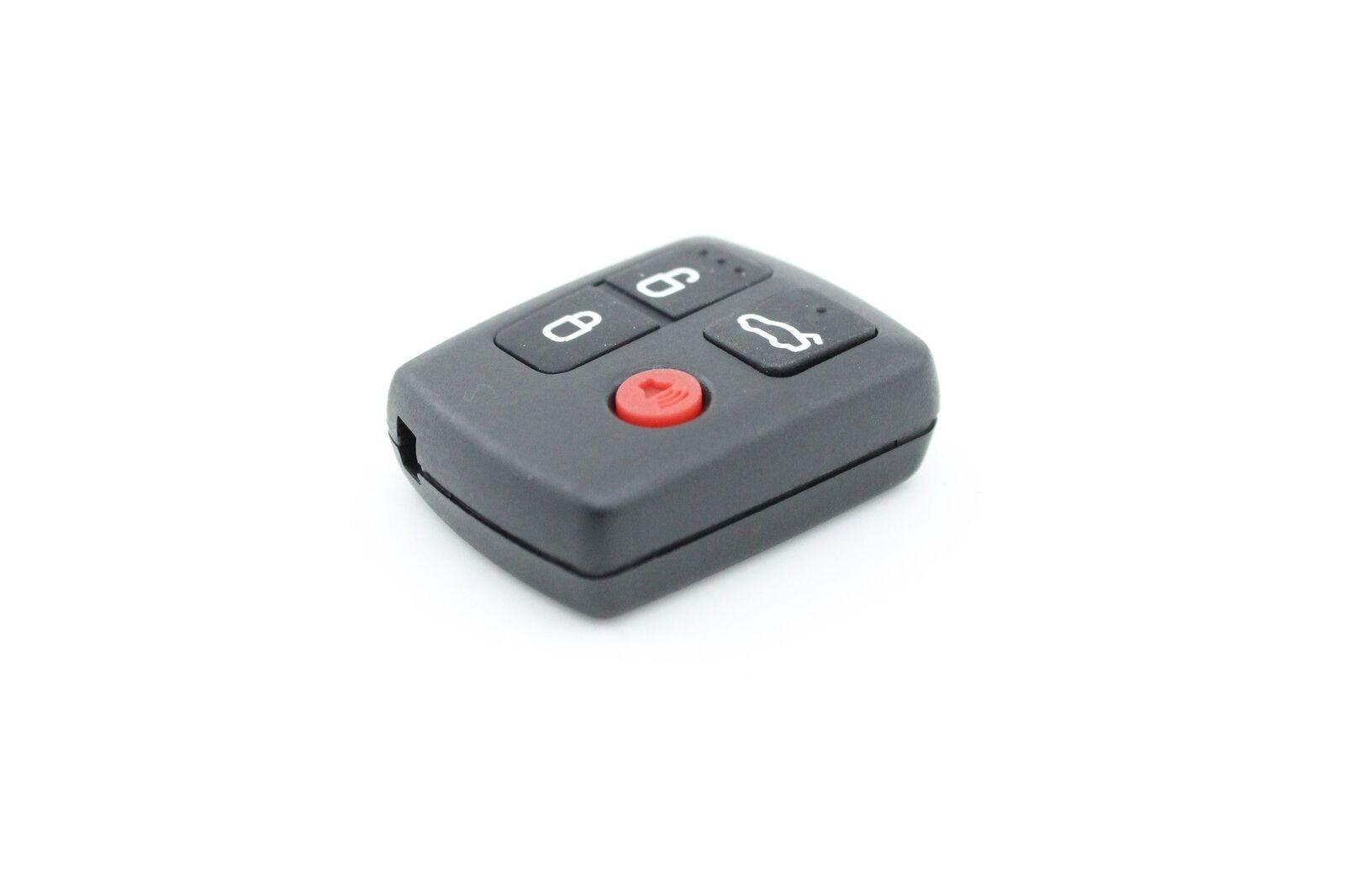


Complete 4 button keyless remote for Ford BA BF Falcon
A full remote with battery, ready to program
Unlike a bare shell, this keypad is a complete unit with all internals and the battery already installed, so it arrives ready to be programmed to your Ford and used the same day. It suits vehicles built between 2002 and 2010, covering the Falcon BA and BF, Fairmont BA and BF, Fairlane BA and BF, XR6 and XR8, Territory SX and SY, and FPV utes and wagons. The seller's rule of thumb applies here as with most car remotes: if your current remote looks the same as this one, it will work. Having the battery pre-installed matters more than it sounds, because the learn procedure is easiest completed in one sitting without a run to the shops.
Programming it yourself in the driveway
No dealer visit is needed because these Fords support an owner programming sequence. Sit in the car with keys and remotes ready, close the driver's door, and within ten seconds turn the key to the accessories position so the radio comes on. Within three seconds of that, press the rear demist button three times; the door locks cycle to confirm learn mode. Be aware that entering learn mode deletes all existing remotes from the car's memory, so program every fob you own in the same session, then click a button on each to register it. The sequence reads as fussy on paper, but most owners manage it on the first or second attempt once the timing clicks.
Pairing the purchase with spares and shells
Since the programming session wipes and re-learns every remote anyway, it is an efficient moment to add a second unit, and the Ford Falcon BA BF Remote Key Fob Complete fills that role. Owners whose original remote works electronically but has a battered case can instead fit the Ford Falcon Remote Key Shell 4 Button, while the Ford Remote Key Shell 3 Button 2 Pack sorts utes and Territory keys with the three button layout. A cheap shell cannot revive dead electronics, which is the line that separates this complete unit from the bare cases elsewhere in the range.
Buying Falcon remotes from The Remote Factory
Falcon-generation Fords remain everywhere on Australian roads, and The Remote Factory, as an Australian-based remote and key fob specialist, keeps this complete unit stocked accordingly. Orders go out within 24 hours of purchase, standard delivery spans one to five working days nationally and two to eight working days to New Zealand. Pay by Visa, Mastercard, American Express, PayPal, Shop Pay or Apple Pay, whichever is on hand. The 30-day return policy applies if the remote does not match your vehicle, and contact@theremotefactory.com.au answers programming questions.
Frequently asked questions
Which Ford vehicles does this complete remote work with?
It is compatible with Fords built between 2002 and 2010, including the Falcon BA and BF, Fairmont BA and BF, Fairlane BA and BF, XR6 and XR8 models, Territory SX and SY, and FPV utes and wagons. The practical test in the listing is straightforward: if your current remote looks the same as this unit, it will work with your vehicle.
Is the battery included and installed?
Yes. The keypad arrives as a complete unit with all internals and the battery already installed inside the remote, so there is nothing to assemble or purchase separately. Once you complete the programming sequence with the car, the remote is ready for daily use immediately. The package contains one full Ford remote with its battery fitted.
How do I program this remote to my Falcon?
Sit in the car, close the driver's door, and within ten seconds insert the key and turn it to the accessories position so the radio comes on. Within three seconds, press the rear demist button three times. The door locks cycle when learn mode is reached. Click a button on each remote to register it, then turn off the ignition to finish.
Will programming a new remote affect my existing remotes?
Yes, and it is important to plan for it. Once the car enters learn mode, all previously registered remotes are deleted from its memory. Any remote you still want to use must be re-registered during that same session by pressing one of its buttons. Have every working remote with you in the car before starting so nothing gets locked out of the system.
- Choosing a selection results in a full page refresh.